What is Order Inspection?
With this module, it is possible to inspect material orders for the construction site. Upon each delivery, a verification checklist is applied to check the invoice data and the received material.
This allows for quick identification if the quantity or the product brand does not match what was requested. The evaluation checklist is generated automatically via integration.
→ How it works in practice: The inspector uses the app at the construction site. When an order arrives, they select the inspection option, locate the order by number or supplier, and evaluate each item. At the end, the inspection PDF is automatically attached to the order in Sienge.
Configuration
To use this resource, it is necessary to perform some previous configurations.
→ Important: To use the integration, it is necessary to create and configure a user in the Sienge Platform. Click here to see the step-by-step guide.
1. Default unit type for construction sites
When configuring the integration, construction sites from SIENGE are listed under the "Construction Sites" tab in Checklist Fácil. It is necessary to determine a "Unit Type" to which these sites will belong (this module must be enabled in your company).
2. Integration with the purchase orders module
By enabling this option, you will be able to select which construction sites will have their orders inspected. The system will import orders and delivery dates from Sienge, treating them as checklists ready for application.
→ Tip: It is also possible to activate the "Supplier evaluation" module, which depends on the activation of purchase orders. Learn more in this article.
Practical Application
After configuration, the application must be performed via the app (online or offline) or through the Web.
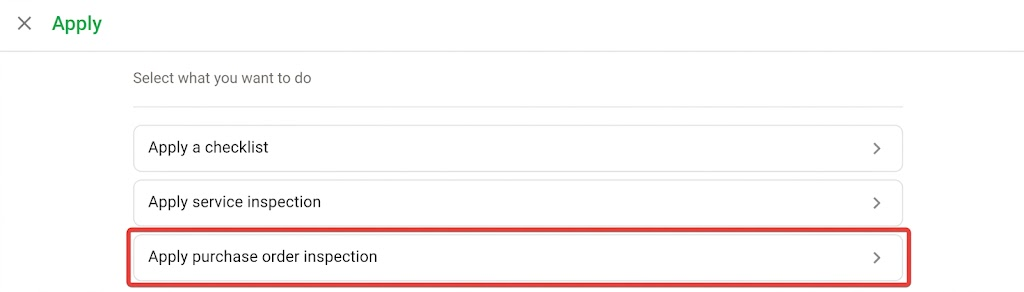
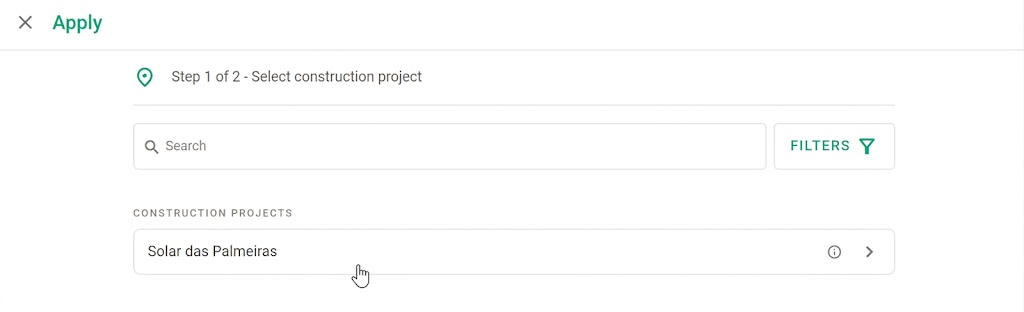
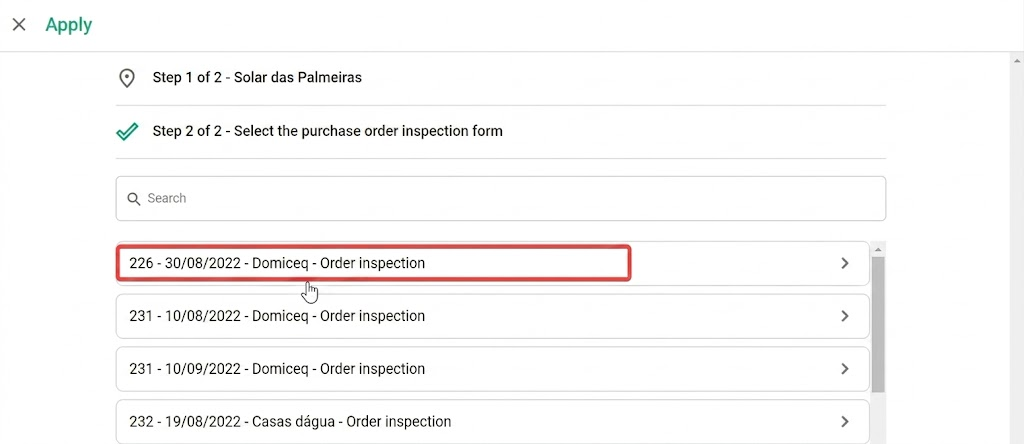
Path: Apply > Apply purchase order inspection > Select the Construction Site > Select the inspection form > Perform application.
Frequently Asked Questions (FAQ)
1. The construction site does not appear for selection. What should I do?
Check in the SIENGE settings if the construction site was correctly selected in the "Orders" column.
2. The inspection checklist is not available. Why?
Check if the order status is "open" in SIENGE and if the delivery date is in the future. Checklists are only generated for orders with deliveries up to 30 days before the moment the construction site was enabled for orders in Checklist Fácil.
3. Where is the PDF saved after the inspection?
After completing the inspection, the PDF of the applied checklist is automatically attached to the order inside Sienge, through the integration.
❓Tem dúvidas? Entre em contato com nosso time de suporte.