- About Contestaton Notifications
- How to configure globally
- How to configure individually
- Types of alerts and emails
- Frequently Asked Questions (FAQ)
The Contestaton Notifications feature allows configuring the automatic sending of emails to the users involved in the review process of an assessment.
About Contestaton Notifications
Notifications aim to optimize communication between the person applying the checklist and the person who approves the contestations.
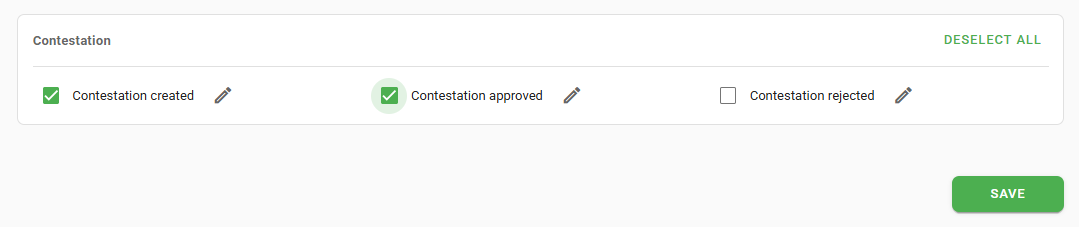
It is possible to define specific alerts for three distinct moments in the workflow, ensuring that those responsible are informed in real time.
Now the generic "checklist concluded" email is no longer sent in cases of contestation approval or disapproval, being replaced by the specific alerts.How to configure globally
To enable sending to a group of users in bulk, follow the path: Settings > Notifications > Select user type > Contestaton.
How to configure individually
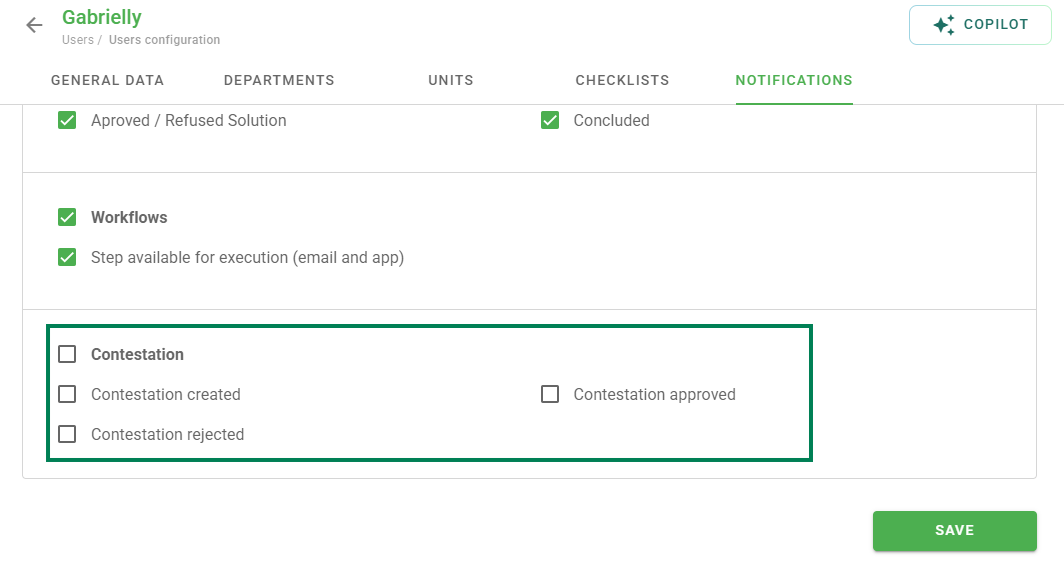
The configuration can also be performed directly within the registration of a specific user, by accessing the Notifications tab.
Types of alerts and emails
There are three types of events that trigger the sending of emails:
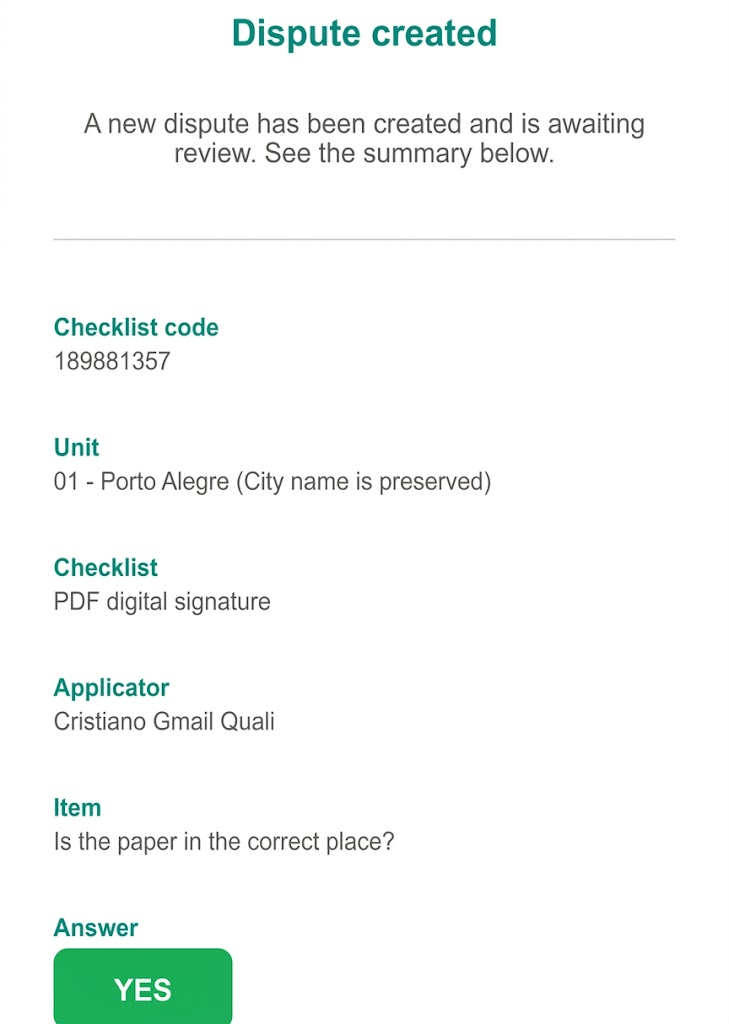
- Contestaton created: Notifies approvers linked to the checklist when a new request is opened.
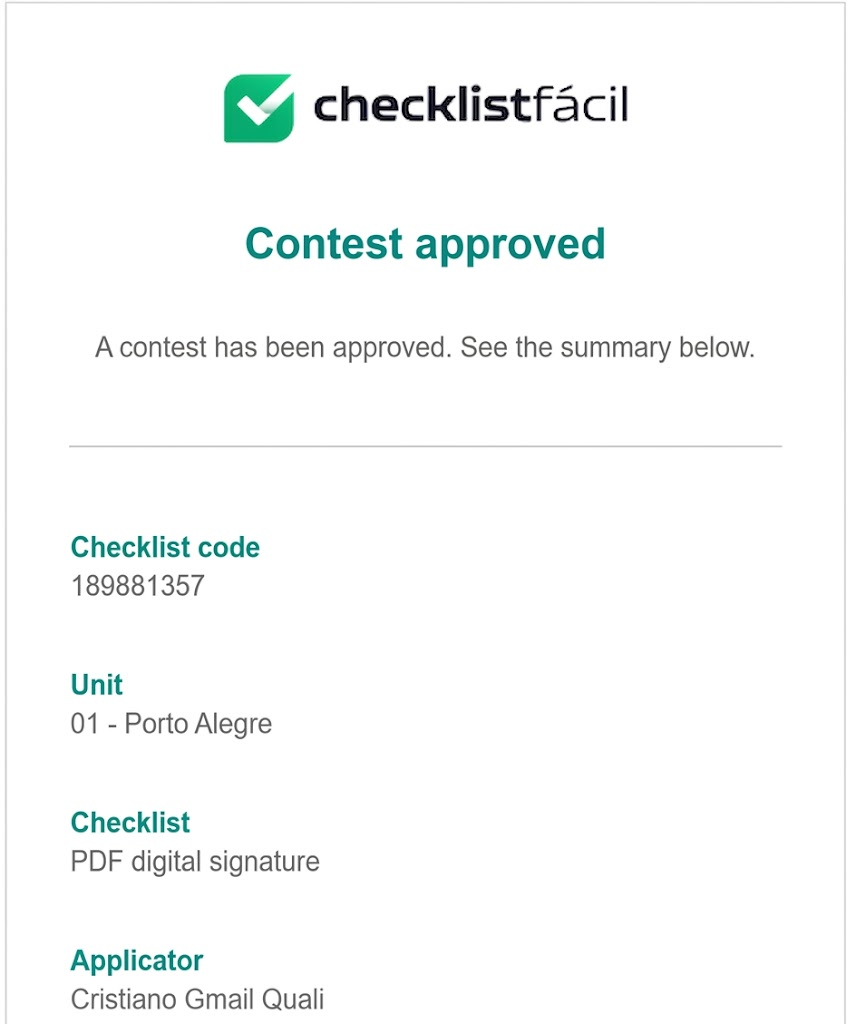
- Contestaton approved: Alerts users with access to the assessment when the request is accepted.
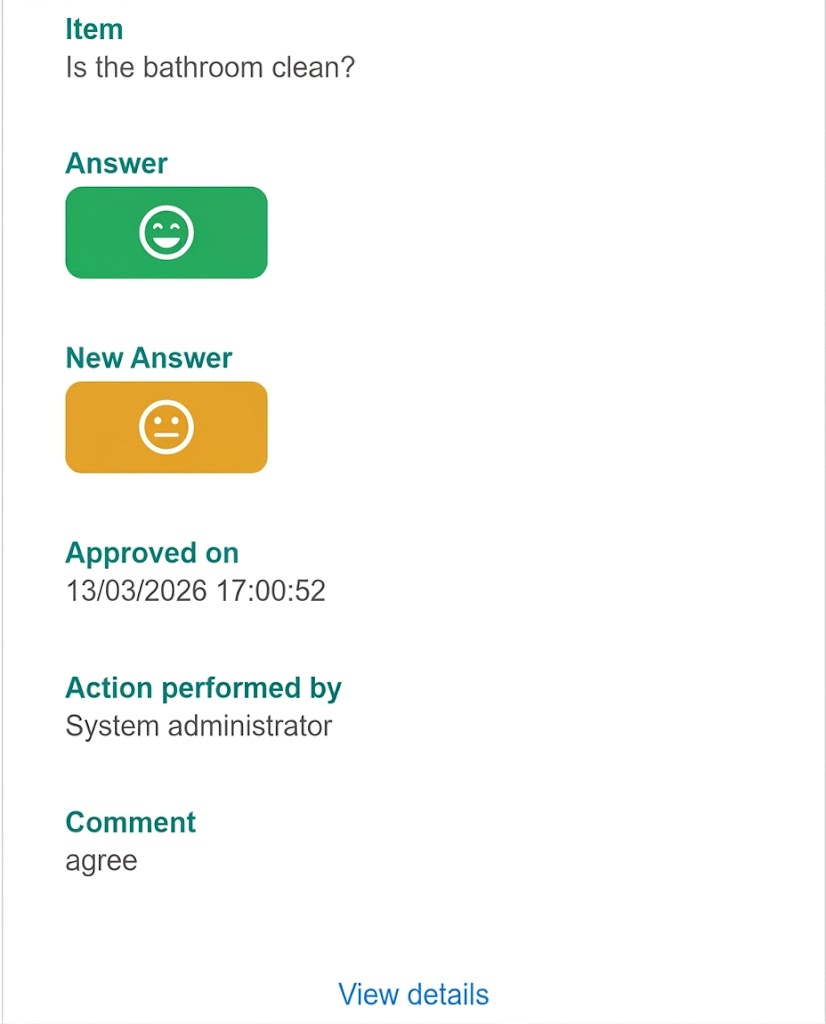
- Contestaton disapproved: Informs stakeholders when the contestation is rejected.
Frequently Asked Questions (FAQ)
1. Does the user need any special permission?
Yes, for the "Contestaton created" notification, it is required that the user is an approver and has a direct link to the checklist in question.
2. Where does the "View Details" link direct the user?
In the case of creation, it directs to the contestation evaluation screen. In cases of approval or disapproval, it directs to the assessment WEB report.
❓Tem dúvidas? Entre em contato com nosso time de suporte.