- How to use the Unique Identifier filter
- How the search works
- Data Visualization and Export
- Frequently Asked Questions (FAQ)
It is now possible to filter checklists using the Unique Identifier of a workflow, making it easier to locate these specific evaluations.
Workflows is an additional module available for Checklist Fácil. Please check the module availability with your Account Manager (CS) or Solution Team.
How to use the Unique Identifier filter
To use this feature, access the Applied Checklists menu and click on More Filters. Locate the Unique Identifier field.
This field behaves similarly to the "Checklist code" filter: when used, other filters will be disregarded to prioritize this exact search.
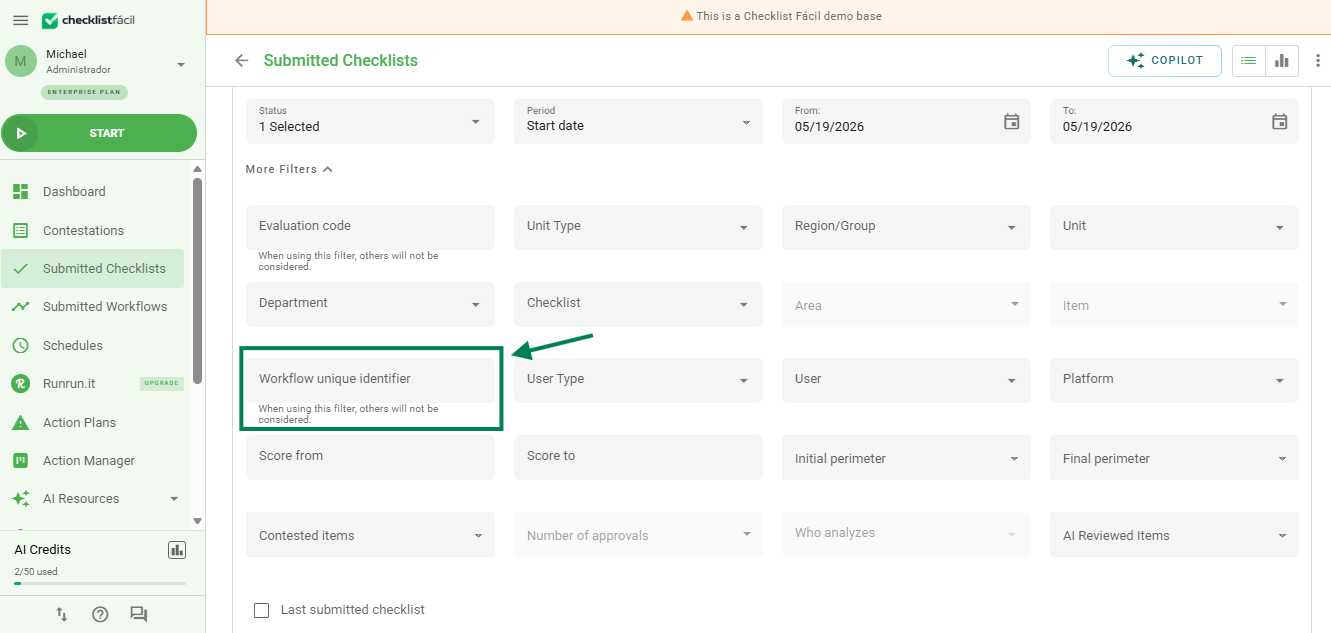
How the search works
The search will return all results containing the specified term, regardless of whether the information is at the beginning, middle, or end of the Identifier name.
Example: When searching for the term "Review", the system will find identifiers such as:
• "Store review"
• "AF100 - Review"
• "Review process"
Data Visualization and Export
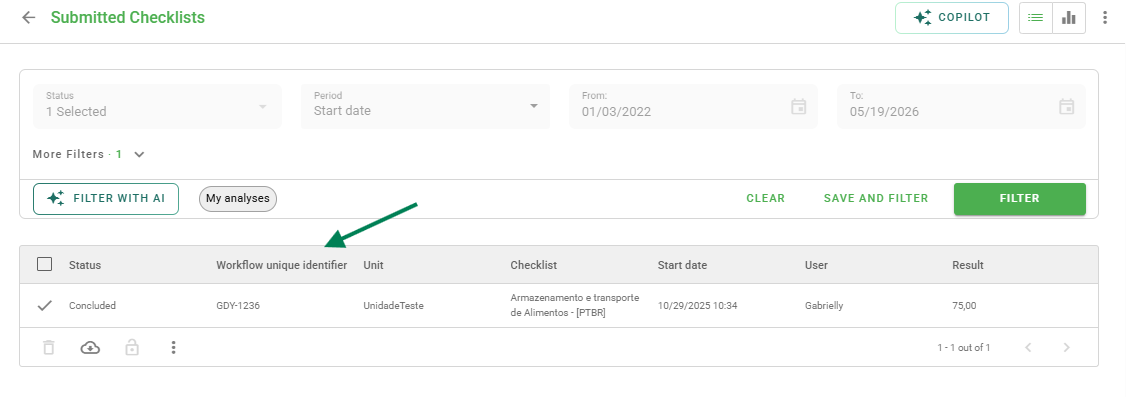
With the inclusion of this information, the field is also available as a selectable data option under Reorganize Columns.
When the "Workflows" module is enabled, the Unique Identifier column will be displayed in the exported files next to the "Evaluation code" column. If the column is enabled in the screen view, it will also be included in the spreadsheet exported through the "View" option.
Frequently Asked Questions (FAQ)
1. I cannot find the Unique Identifier field in my filters. Why?
This field is linked to the Workflows module. If your account does not have this additional module contracted and active, the filter will not be displayed.
2. Can I use this filter combined with others (e.g., date or unit)?
No. Just like the "Code" filter, when filling in the Unique Identifier, the system ignores the other filters to focus exclusively on the checklists that match this identifier.
❓Tem dúvidas? Entre em contato com nosso time de suporte.