The bulk export of PDFs allows you to download several applied checklist reports at once, without needing to download each file individually. This functionality is ideal for those who handle a large volume of checklists and need to gather information quickly, in an organized and practical way.
How to perform bulk export
To generate your PDFs in batches, follow the steps below:
Step 1 - Access the Applied Checklists screen and use the filters to select the desired checklists.
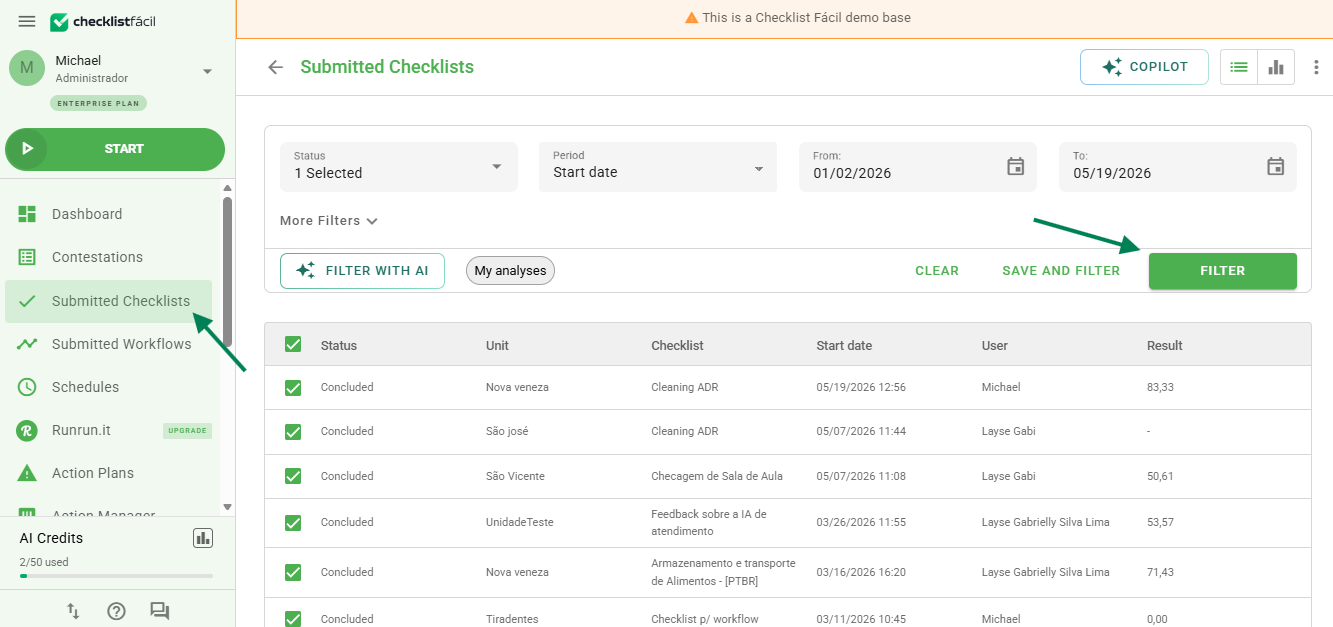
Tip: you can increase the number of items per page to export packages of up to 200 checklists.
Step 2 - Click on the Export button and select the PDF option.
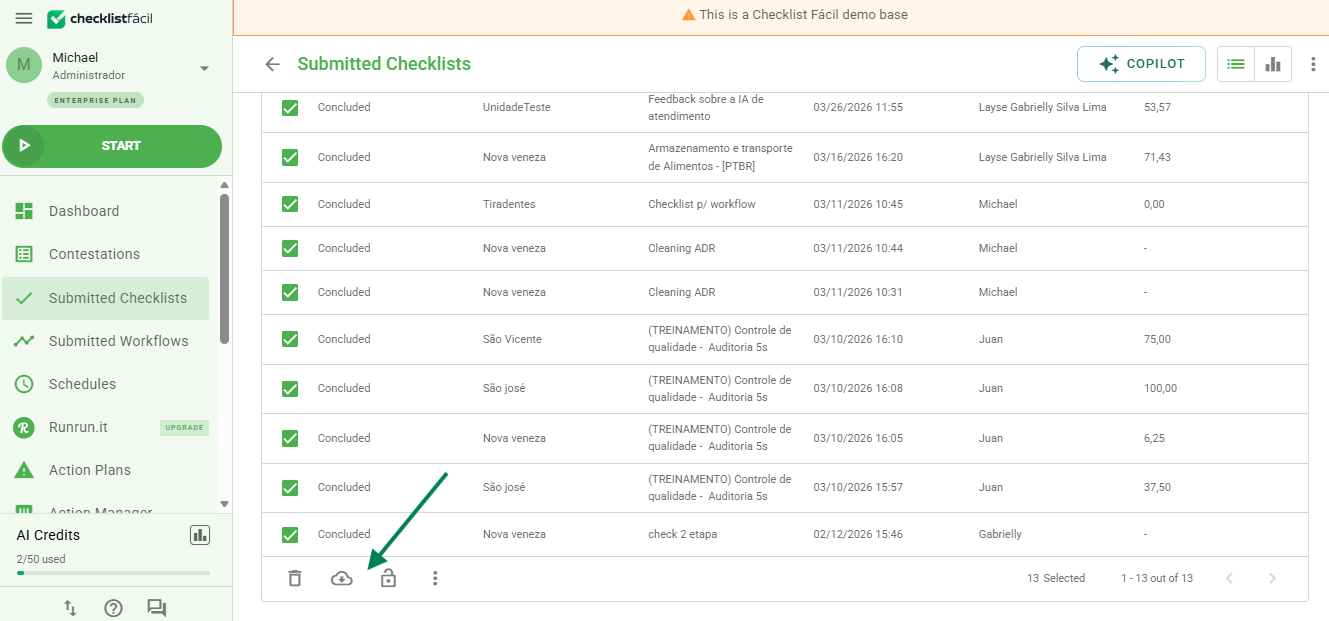
Step 3 - Select the type of PDF.
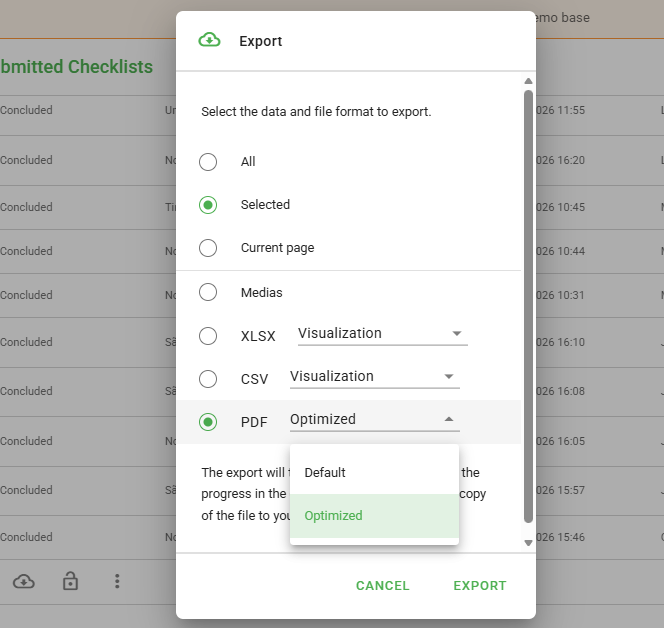
Available PDF types
When exporting, you can choose between two PDF formats:
- Current PDF: Contains all checklist information, including full charts and summaries.
- Optimized PDF: A lighter version, with a redesigned layout, organized tables, and only the essential information.
Where to find exported files
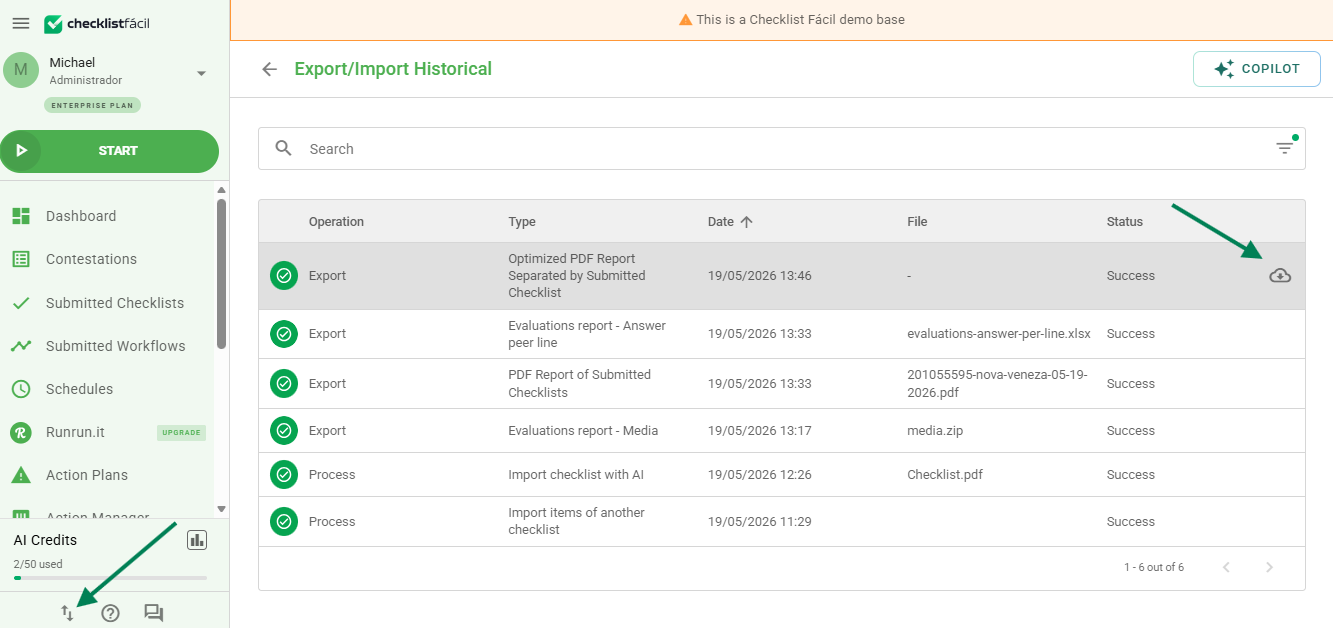
After completing the request, your files can be downloaded on the Imports/Exports screen.
To make searching easier, a new filter has also been added, which allows you to locate your bulk exports.
Frequently Asked Questions (FAQ)
1. How many checklists can I export at once?
It is possible to export up to 200 checklists at a time. To do this, simply change the number of items displayed per page in the listing before selecting all.
❓Tem dúvidas? Entre em contato com nosso time de suporte.